
The short version
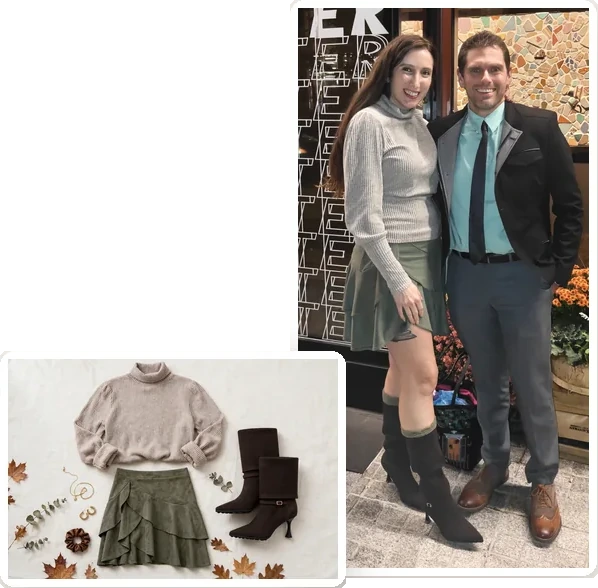
- I wanted new fall clothes: a few skirts, some tops, and one sweater dress. I gave my AI my photos, a budget, and the stores I like, and it found options and mocked up outfits.
- It came in under budget. When it suggested extras, it showed what each one would do to the total.
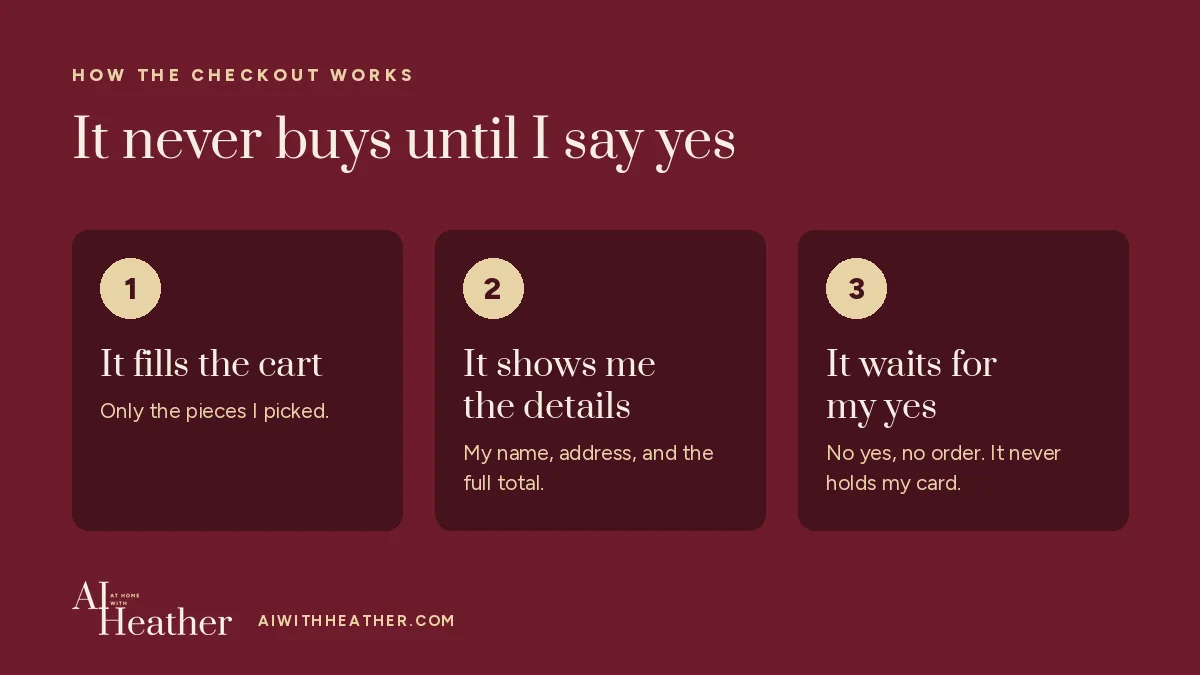
- It placed the order only after it showed me my name, address, and the full total and I said yes.
- It kept calling one top rust, even though the listing said maroon. It was maroon. And one top fit strangely in person. Photos still don’t tell you everything.
- Just want the instruction? Jump to it.
It’s easy to scroll for over an hour looking at clothes online. You open twenty tabs, and half of what looks great in the photo doesn’t suit you or doesn’t fit the budget.
This fall I needed some new pieces. Specifically skirts and tops, and one sweater dress. So I handed the search to my AI assistant… and it turned into my personal shopper.
How do I get started?
Give your AI a few photos of outfits you wear and like, your budget, what you need, and a few stores you already shop. Ask it to describe your style and which colors suit you first, then find options and show you how they’d go together. Tell it not to buy anything until you say so.
Copy this into your AI
Help me shop for [what you need] for [season]. My total budget is [amount]. Stores I like: [stores]. Here are a few photos of me in outfits I like. First, tell me what you notice about my style and which colors would suit me. Then find options within my budget and show me how pieces would go together. Don’t buy anything until I say so.
What to give it: photos of yourself in good, natural light. That matters for the color analysis, which is just your AI suggesting which colors look best with your skin tone. Only share photos you’re comfortable sharing. A real budget number. What you actually need, not just “fall clothes.” And stores you’ve bought from before, so it knows your price range and how things fit you.
I use Muse, Meta’s AI assistant, for this. (I call mine Percy.) Any AI that can look at photos can do the style and color part. Checking out for you is newer and only some assistants can do it.
How did it work, start to finish?
- Style and color first. It looked at my pictures and described my style. Then it did a color analysis from a photo in natural light. It called me a warm autumn and listed my best fall colors, like rust, olive, camel, and chocolate brown. Then it searched in those colors.
- The stores. I told it stores I’ve shopped from: White House Black Market and Boston Proper, which I love but tend to be more expensive, so I don’t buy them as often. And Halara and OGL Move, which have really comfortable pieces.
- Skirts. It came back with skirts. I told it which ones I liked and which I didn’t, and it went back for more.
- One store. I decided I wanted to stick with one store, so I’d only be placing one order. I went with Halara.
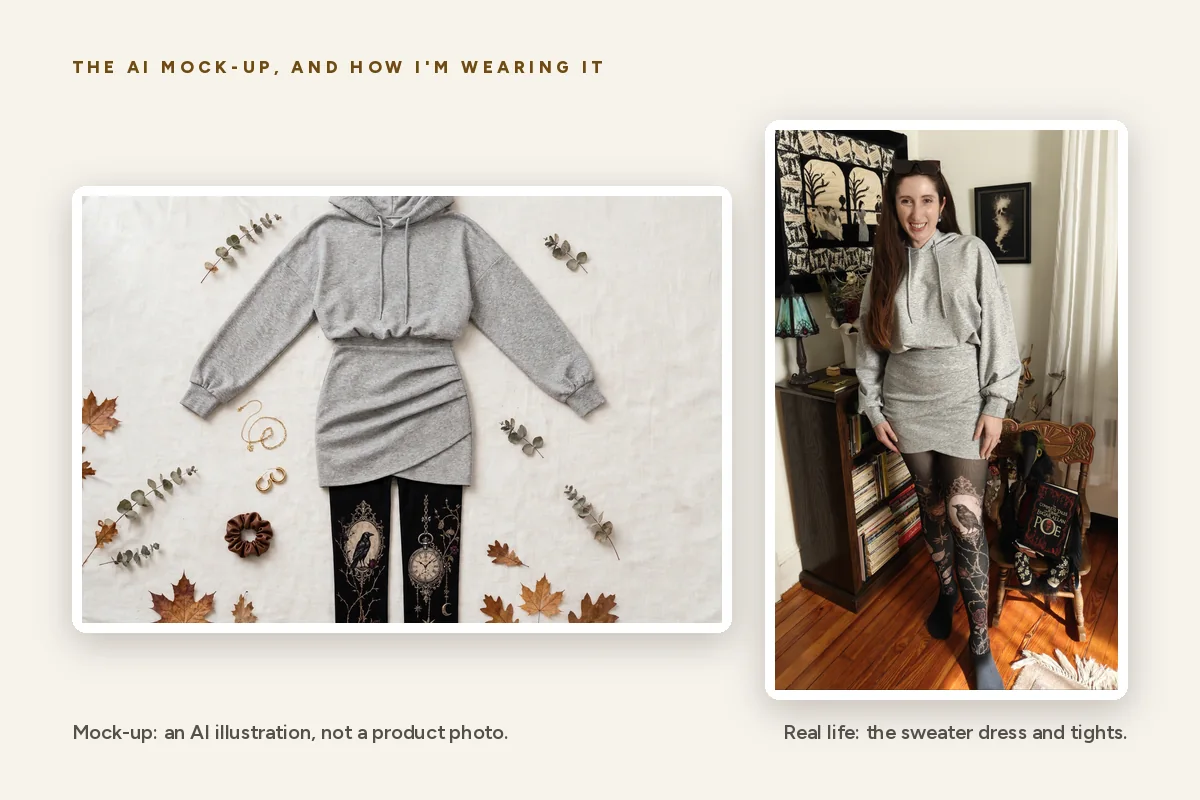
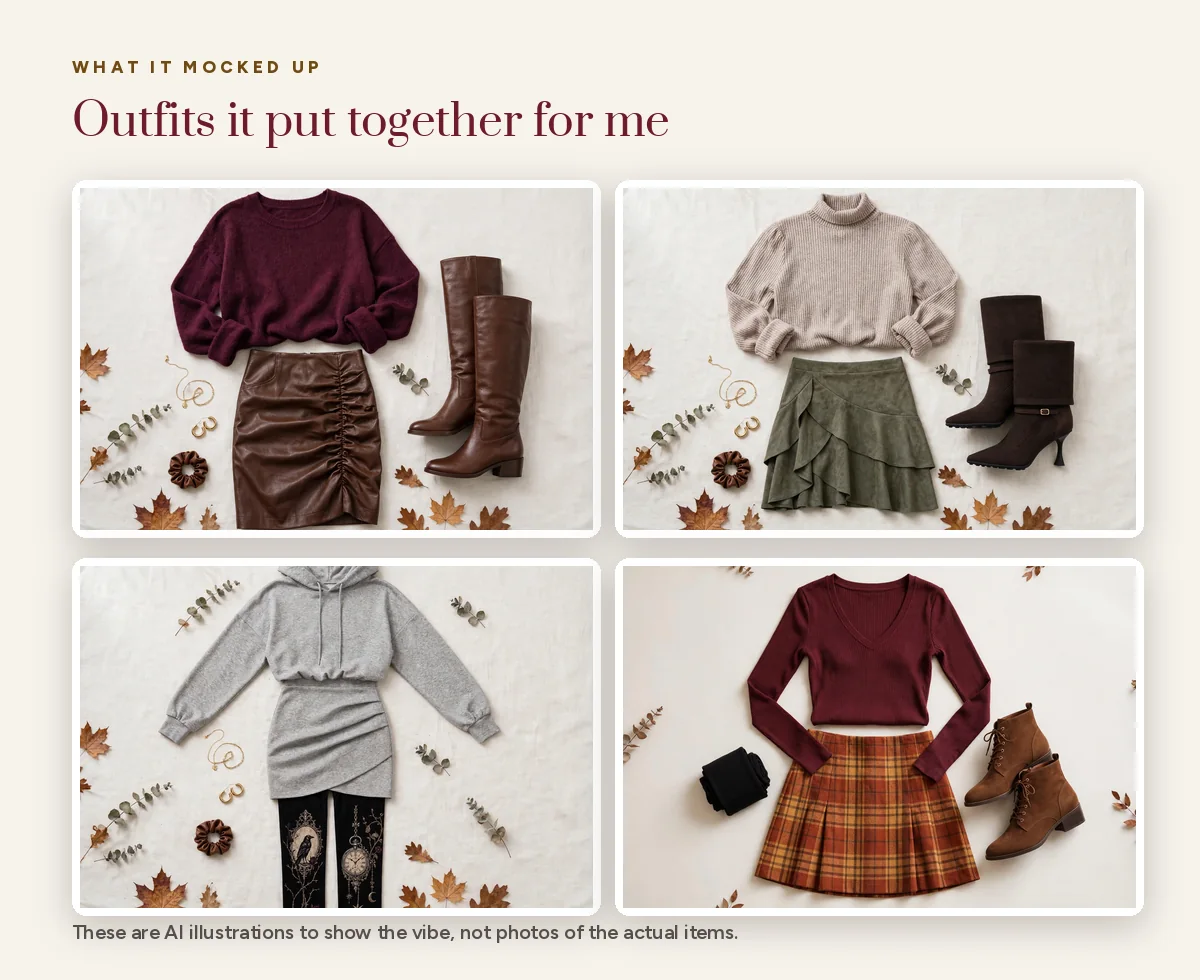
- Tops and mockups. It found tops to go with the skirts and made little mockups of each skirt with each top. It labeled them as illustrations for the vibe, not photos of the actual items. Fair. I still swapped in my own tops for a couple of them.
- The order. Once I said which ones I wanted, it filled the cart and checked out through Shop Pay, after I approved. The sweater dress I loved made the order too.
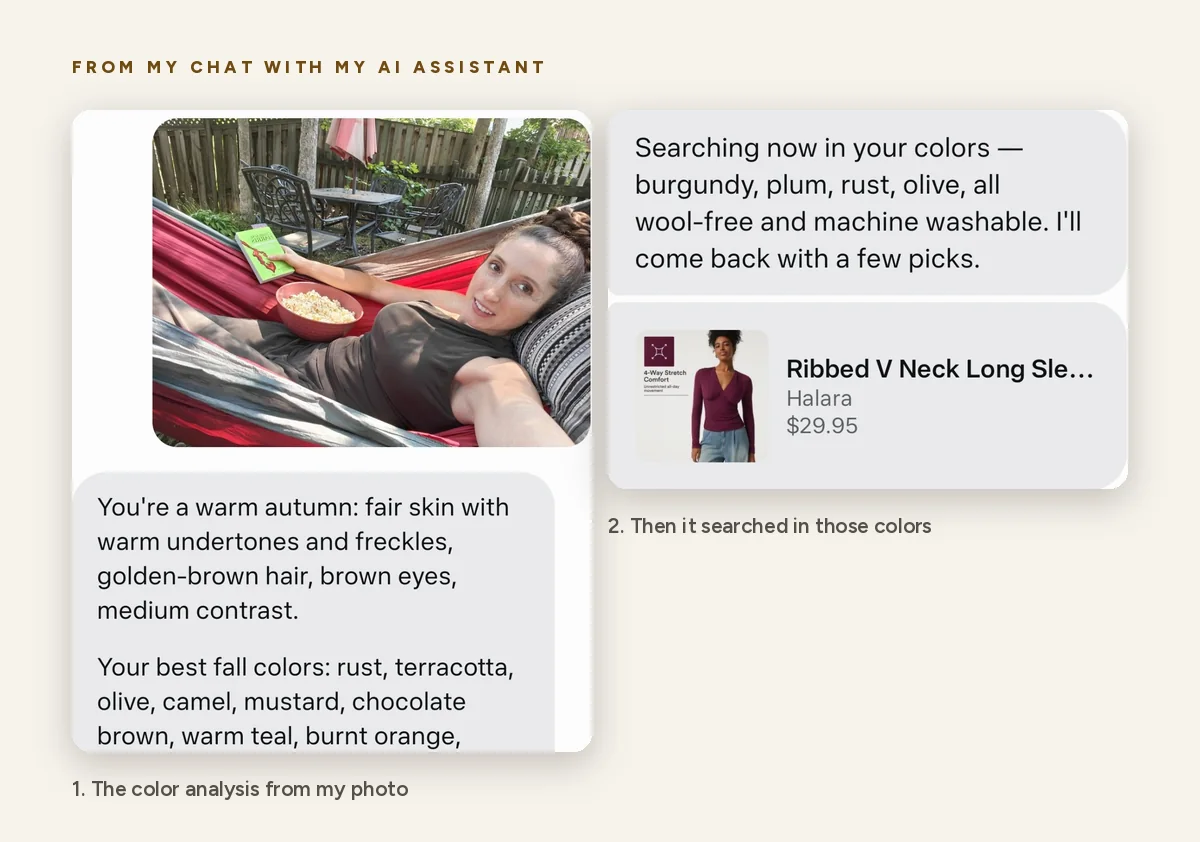
It came in under budget. It also suggested a couple of extras and showed me what adding each one would mean for the budget. I like that. It shows the math, and I decide.
Do I have to give AI my credit card?
No. Mine never sees my card. It’s connected to my Shop Pay account, which holds my payment details. Meta says Muse keeps login and payment details in separate secure storage, away from the assistant itself (TechRepublic).
And it can’t just buy things. Once everything is in the cart and ready for checkout, it comes back with my name, address, and the full total, and asks again for approval before it makes the purchase. I really appreciate that extra check.
That’s how Muse works with Shop Pay right now, as I’ve used it. Shopify announced Shop Pay checkout for Muse in September 2026. Other assistants handle checkout differently, and some don’t do it at all. If yours can’t, you can still use it for everything up to the cart and check out yourself.
What did it get wrong?
It didn’t get everything perfectly correct.
A color. It kept calling one top rust, even though the listing said maroon. It came in maroon, just like the listing said. That’s the top I’m wearing in my video, and I still like it with the skirt. When your AI describes a color, check it against the listing and the customer photos.
A fit. One top looked great online and fit strangely in person, because of where the built-in bra sits. I like the idea of the top, so I’m going to keep playing with it and see if I can get it to work. But when I first tried it on, I was not happy.
What I’d do differently: ask it to check the reviews for comments on color and fit before you buy. Reviews with customer photos are the closest thing to trying it on.
How does it get better?
Show it examples. After the order, I decided I wanted some fun tights. I asked it for suggestions to go with the outfits. The first ones were pretty boring. So I asked for bolder, more playful, more colorful. Then it went way the other direction… much more in-your-face than I like.
What fixed it: I shared a few examples of tights I liked. After that, I got good options. Examples work better than adjectives.
Ask about the store, too. The tights came from Marcellise, a site I’d seen ads for. I asked my AI to share reviews and what people were saying about it first.
Let it pass the list along. My husband had asked for birthday gift ideas. So my AI emailed him the list of tights plus some boots I’d wanted. He ended up buying the tights for me.
Is anyone else shopping this way?
In a 2026 Exploding Topics survey of 1,009 U.S. consumers, 77.6% said they’d used AI to help with a shopping decision in the past six months. Only 2.18% had completed a purchase inside an AI tool.
So most people are already asking AI what to buy. Very few let it check out. I get it. That approval step is the reason I was comfortable.
What’s still my job?
Deciding. It found the options and did the math. I said yes, no, cheaper, bolder, not that bold. And I’m the one who tries it on.
It was really cool, and I was really happy with it.
Keep going: how I stopped buying birthday gifts the morning of · how I’m saving $675 a year on subscriptions with AI
About the author: Heather Pocorobba has spent 15 years in communications, simplifying complex topics and answering the question “what does this mean for me?” She writes AI at Home with Heather, showing how anyone can use AI to get more of the household to-do list done without giving up family time.
Leave a Reply