
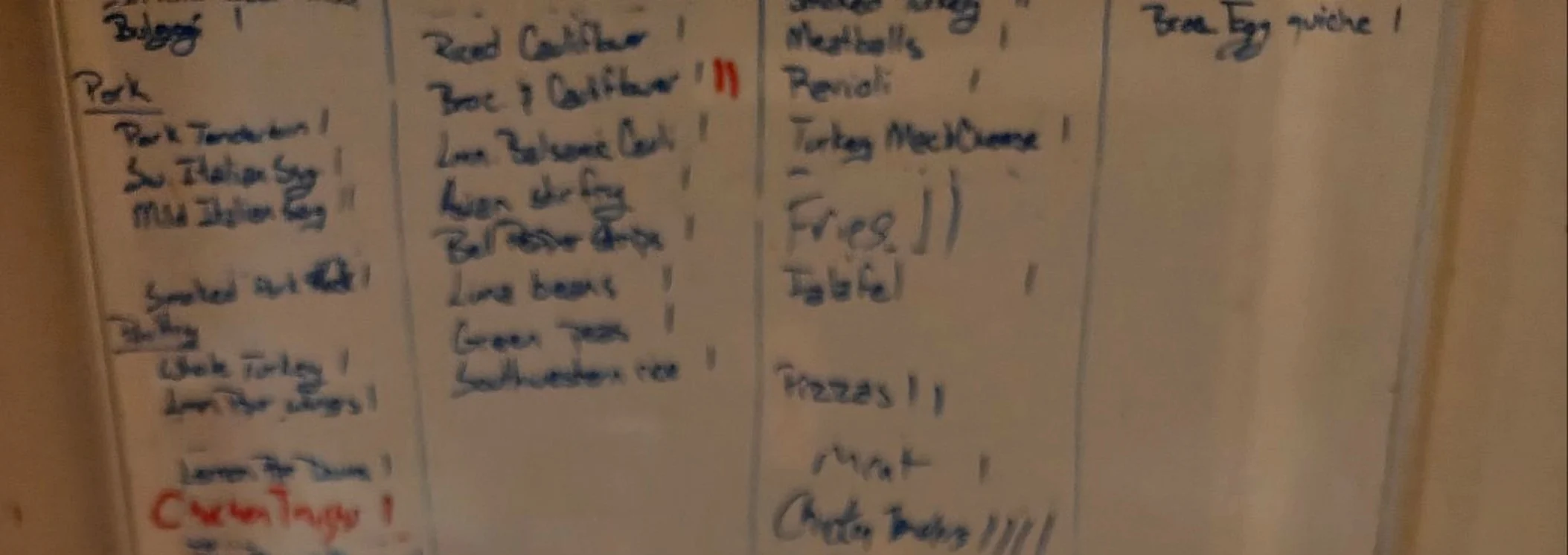
There’s a dry erase board on the wall next to my freezer, and I take a picture of it. Once the AI can read that board, it plans our dinners around the chicken thighs I already have instead of putting them back on the grocery list. It reads my handwriting and my tally marks, and asks me when it can’t tell what something says.
The short version
- AI was helpful at creating meal plans, but it didn’t know what was already in my house.
- So I showed my AI what I had. Pictures of the freezer work. A written list works better.
- You don’t have to write the list yourself. Use talk to text to tell your AI what’s in there, and have it make the list for you.
- It asks about what it can’t read instead of guessing. That’s why I trust it.
The problem wasn’t the meal plan
I’d been using AI to plan our dinners for a while before any of this, and it was good at it. A week of meals and a grocery list in a couple of minutes.
But the grocery list had everything on it. Including things sitting in my freezer.
It wasn’t wrong, exactly… it had no way to know. So it assumed I was starting from an empty kitchen.
That’s the opposite of what I want. I’m trying to spend less at the store and cook what we already have. Buying in bulk is only cheaper if you actually use the thing, and the freezer is where good intentions go to get buried.
So the real question wasn’t “how do I get better meal plans.” It was: how does it find out what’s already in my house?
The answer was a picture
The fastest version is photographing the inside of the freezer. Open it, take a few pictures, send them, and ask what you could make this week. Five minutes, nothing to set up.
That works if you can actually see everything. Mine is packed, and half of it is buried under the other half, so a picture of my freezer is a picture of the top layer.
So I keep a written list instead, on a dry erase board on the wall next to the freezer, and I photograph that. It reads the handwriting, sorts everything into categories, and asks about whatever it couldn’t make out.
Any chat assistant that accepts photos will do this. I use Claude, because that’s where the rest of my house already lives.
How do I make a freezer inventory list?
Five steps. Use talk to text to tell your AI what’s in your freezer and have it make the list, copy that onto a board you hang by the freezer, then photograph the board whenever it changes. The first step is the one people skip, and skipping it is why most freezer inventories never get written down at all.
1. Have your AI make the list. You don’t have to stand there sorting and writing everything out yourself. Open the freezer and use talk to text to tell your AI what’s in there. Have it make the list for you, grouped by category, with amounts.
2. Copy the list onto a board by hand. This is the only tedious part. Mine took a while, and it was once. A dry erase board is what I use… a piece of paper taped up next to the freezer does the same job.
3. Have your AI check your work. Photograph the board and ask your AI to compare it against the list you dictated. Mine caught one thing I’d forgotten to write down, and one I’d left off on purpose because I’d already pulled it out for that week’s dinners. It flags. I decide.
4. Keep the board current at the freezer. Cross something off when you take it out. Add something when it goes in. Hang the board at eye level, close enough to reach without walking away. Mine is, and that’s the only reason this is still alive in my house… I’m standing right in front of it.
5. Photograph the board whenever it changes and send the picture with one instruction. This is the instruction I use:
Here’s my freezer board. Turn it into a list grouped by category. Tell me anything you couldn’t read instead of guessing, and flag what looks precooked versus raw.
Move if there’s a window behind you, so the glare isn’t sitting on the marker. No need to tidy the board up first… mine never is, and it reads fine.
Honest about step five: I photograph it when I remember, which is not often enough. I need to get better at that.
What should I write on the board?
Five rules, and they decide whether the list is worth anything. Write the form of the food, not just its name. Say what’s already cooked. Use tally marks for counts. Pick one abbreviation per item and stay with it. Write the month if you want to use things in the order you froze them.
Write the form of the food. “Sausage” is not enough. Ground or links changes what you can cook Tuesday. Write “ground sausage” or “sausage links,” because if you leave it off, the AI fills in the blank… and mine filled it in wrong, then kept telling me to put my ground sausage on the grill.
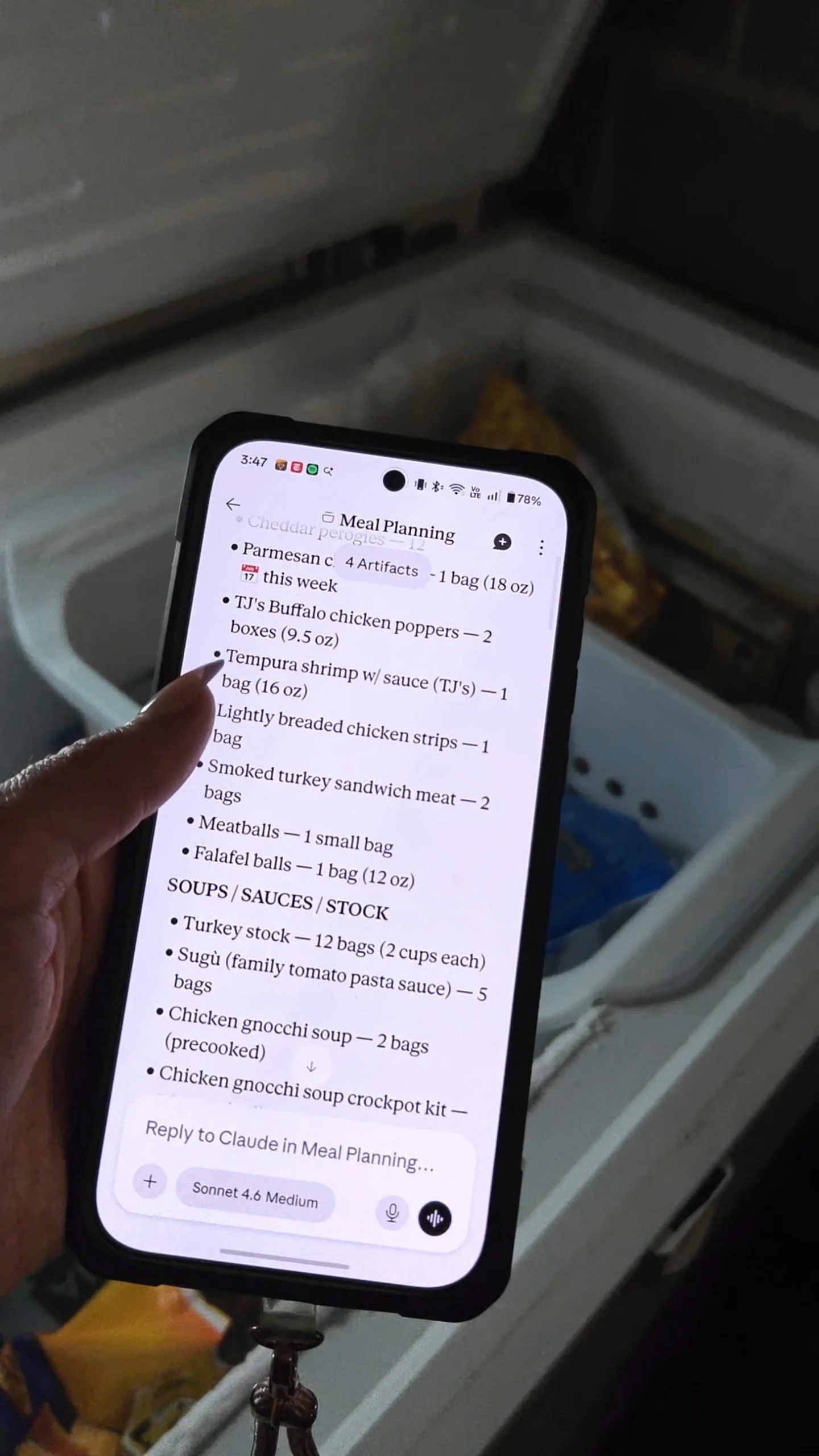
Say what’s already cooked. The falafel, the chicken strips, the smoked turkey, the meatballs. Those are cooked. They’re just frozen, so they don’t take any work. That’s what I need to know at dinnertime on a Wednesday, when the question isn’t what do we have, it’s what can I get on the table.
Tally marks, grouped in fives. It counted twelve bags of turkey stock off my board without me explaining anything. (Twelve, because after Thanksgiving the turkey carcass goes in a big pot with all the peelings and the vegetables I never got around to using, and that turns into stock for later.)
One abbreviation per item. “Ssg.” at the top and “Saus.” at the bottom reads as two different foods.
The month you put it in. The board tells you what you have, not how long you’ve had it. Writing the month lets you go first in, first out, so things get used before they end up with freezer burn at the bottom.
Confession: I often forget to do this. I write it on the bags, but it doesn’t always make it to my board. So do as I say, not as I do. lol
What changed once it knew
The grocery list got shorter. It stopped putting chicken thighs on there when I had three bags of them, and started building the week around what needed to get used.
It also tells me to move something from the freezer to the fridge in the morning so it’s thawed by dinner. That runs off my calendar, which I’ll write about separately.
It works the other direction too. Something I set up reads the weekly grocery ads and tells me what’s on sale that’s worth freezing, so when I do stock up, it’s on purpose.
For scale, ReFED puts wasted food near $762 per person a year, and the USDA puts it at 30 to 40 percent of the food supply. A board doesn’t fix that. It does mean I dig fewer unidentifiable frozen bricks out of the bottom.
Why a board and not a list in my phone?
Because I’d have to open my phone, find the list, and remember to go back to it. The board is right there when I’m standing with the freezer open. My kids can add to it. And it works without me buying anything that needs an account.
What does it get wrong?
Plenty, eventually… it misreads handwriting, it can’t see what’s underneath something, and every so often it fills in a blank instead of asking.
The one that got me: talk to text turned Colby Jack into “Kobe Jack,” and it put “Gouda Jack” on a shopping list without flagging it. Gouda Jack is not a product.
So tell it to ask instead of guess, and read what comes back before you shop. A tool that asks is worth more than a tool that guesses.
Three versions of this
Each one is a different amount of setup. The first takes five minutes and needs nothing. The difference between the first two is whether you have to explain yourself again next week.
| What you do | What you get | What you add | |
|---|---|---|---|
| Start here Level 1 ●○○ | Photograph the inside of the freezer. | Your AI can tell you what’s in there and plan around it, right now. | Five minutes |
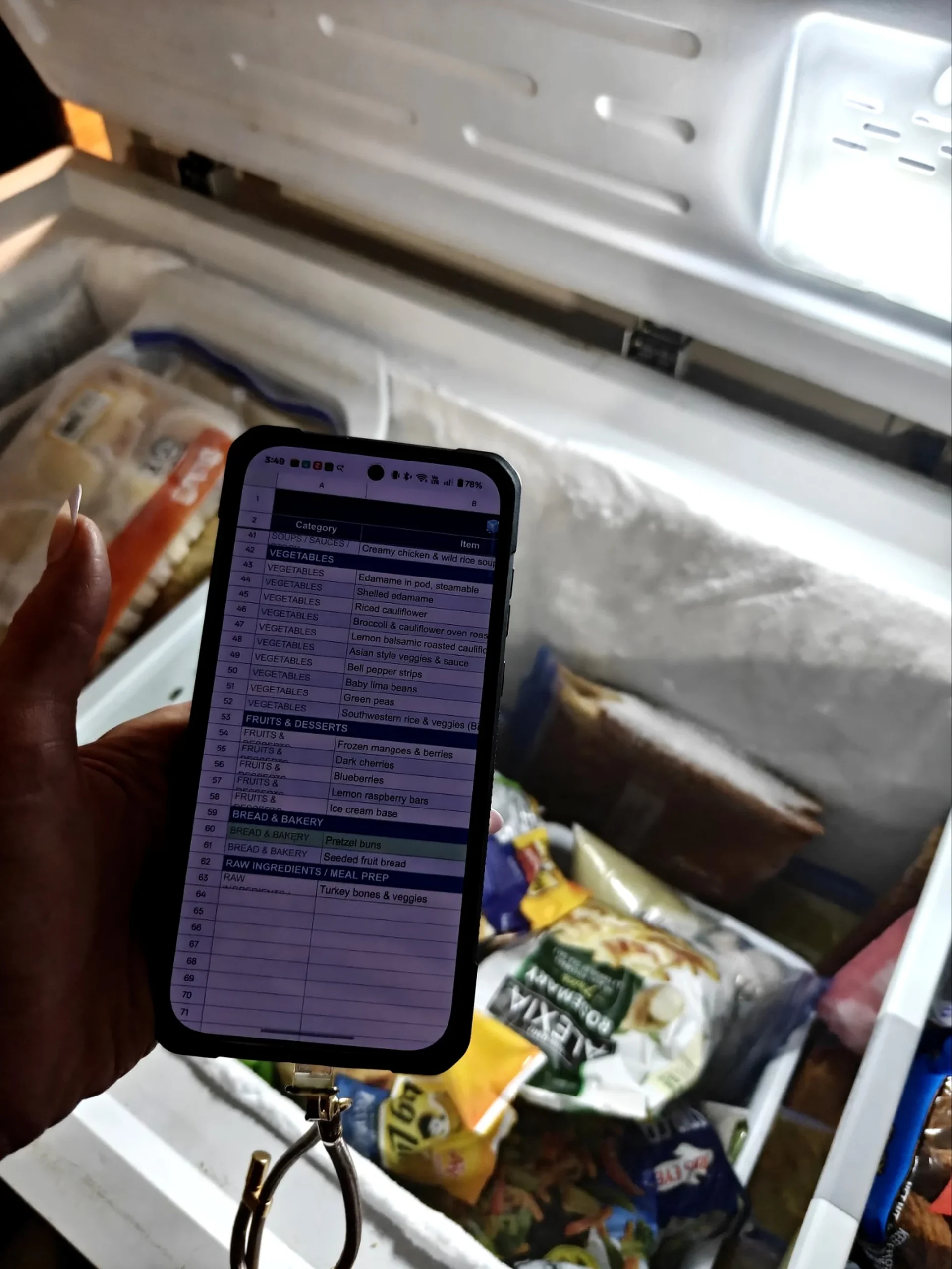
| Next Level 2 ●●○ | Make a list of what’s in your freezer, then share that list, or a photo of it. | Your AI gets the details a photo of the freezer can’t show. Counts, what’s buried, ground or links, what’s already cooked. | About thirty minutes, once |
| Then Level 3 ●●● | Have your AI keep that list. | Your AI uses the list every time you ask for meals or a grocery list, without you handing it over. | Fifteen minutes, then keeping it fed |
Each version needs the one above it, so the times stack.
Start here: photograph the freezer itself
- Open the freezer and take a few pictures. Shelf by shelf, or a couple of angles into the bins. Pull the top layer aside if you want your AI to see underneath.
- Send the pictures to your AI and ask what it sees, and what you could make with that this week.
That’s it. Nothing to write, nothing to set up.
Your AI only sees the top layer, and it can’t read a label that’s turned around or frosted over. But for a freezer that isn’t packed, this is honestly enough, and it’s the fastest way to find out whether any of this is useful to you before you spend thirty minutes on it.
Next: make a list and share that instead
This is the version I use, because my freezer is packed and photos of it aren’t honest.
- Use talk to text to tell your AI what’s in your freezer. Have it make the list for you, grouped, with amounts. You don’t have to sort anything first.
- Copy that onto a board and hang it next to the freezer at eye level. Paper taped to the wall works the same.
- Cross things off as you use them. Add things as they go in.
- Photograph the board and send it to your AI whenever you want a current list.
The list holds what a photo of frozen bags never will. How many are left. Ground or links. What’s already cooked. What’s underneath everything else.
Then: have your AI keep the list
You need the version above first.
- Ask your AI to save the freezer list, as a file or in its memory, whichever yours does. Most of them can remember things now, even on the free version. Whether you get an actual file you can come back to is the part that varies, so check yours before you count on it.
- Tell your AI to use that list every time you ask for a meal plan or a grocery list, and to ask you for a fresh picture when the list is getting old.
- Check the first couple of plans against your board yourself. AI will tell you it used something when it didn’t, and that’s much easier to catch in week one than in week six.
Mine does this. What I still haven’t done is put it on a weekly schedule, so it happens when I get around to it instead of on its own.
Each version exists because of what didn’t work in the one before it.
There isn’t much past that third one, at least not for a freezer. Once it asks for its own updates and figures out what you’ve used, the only thing left is having it run every week instead of whenever I get around to it. Mine does the asking. I’m the part that isn’t scheduled.
It’s working… mostly. The board goes stale when nobody crosses anything off, and I don’t photograph it as often as I should.
But nobody’s buying a fourth bag of chicken thighs.
About the author: Heather Pocorobba writes AI at Home with Heather, practical, no-hype AI for families, starting with the tech you already own. Find her at @aiwithheather.
Leave a Reply